I'm John Doe iPhone · iPad · Mac · Offline

Protect your info before you paste to AI.

I'm John Doe finds names, emails, phone numbers, and 40+ kinds of personal information in your text, and hides them — so you can safely paste into ChatGPT, Claude, or anywhere else. Now on iPhone, iPad, and Mac.

Universal Purchase Buy once — use it on iPhone, iPad, and Mac at the same time, forever.

See how it works
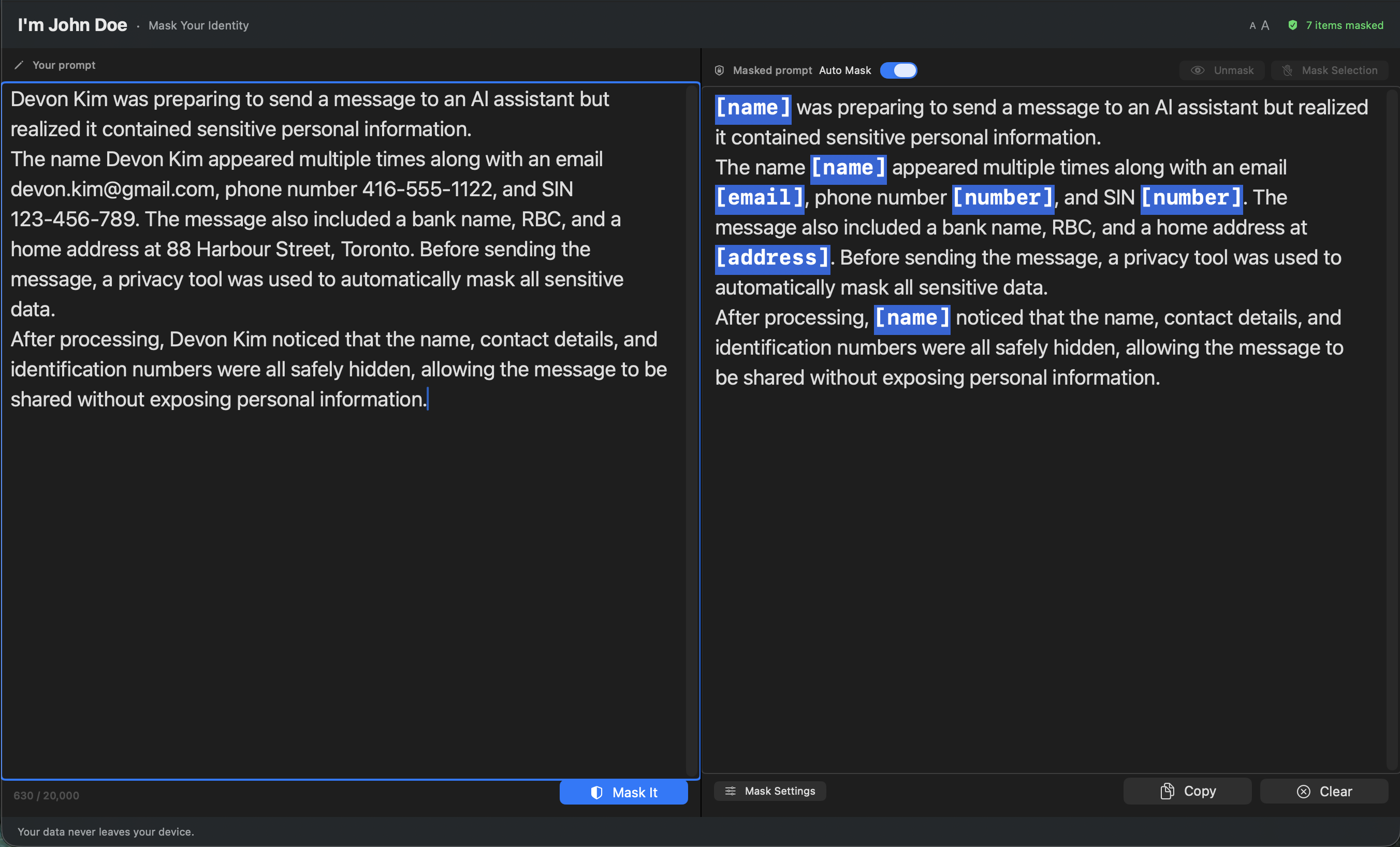
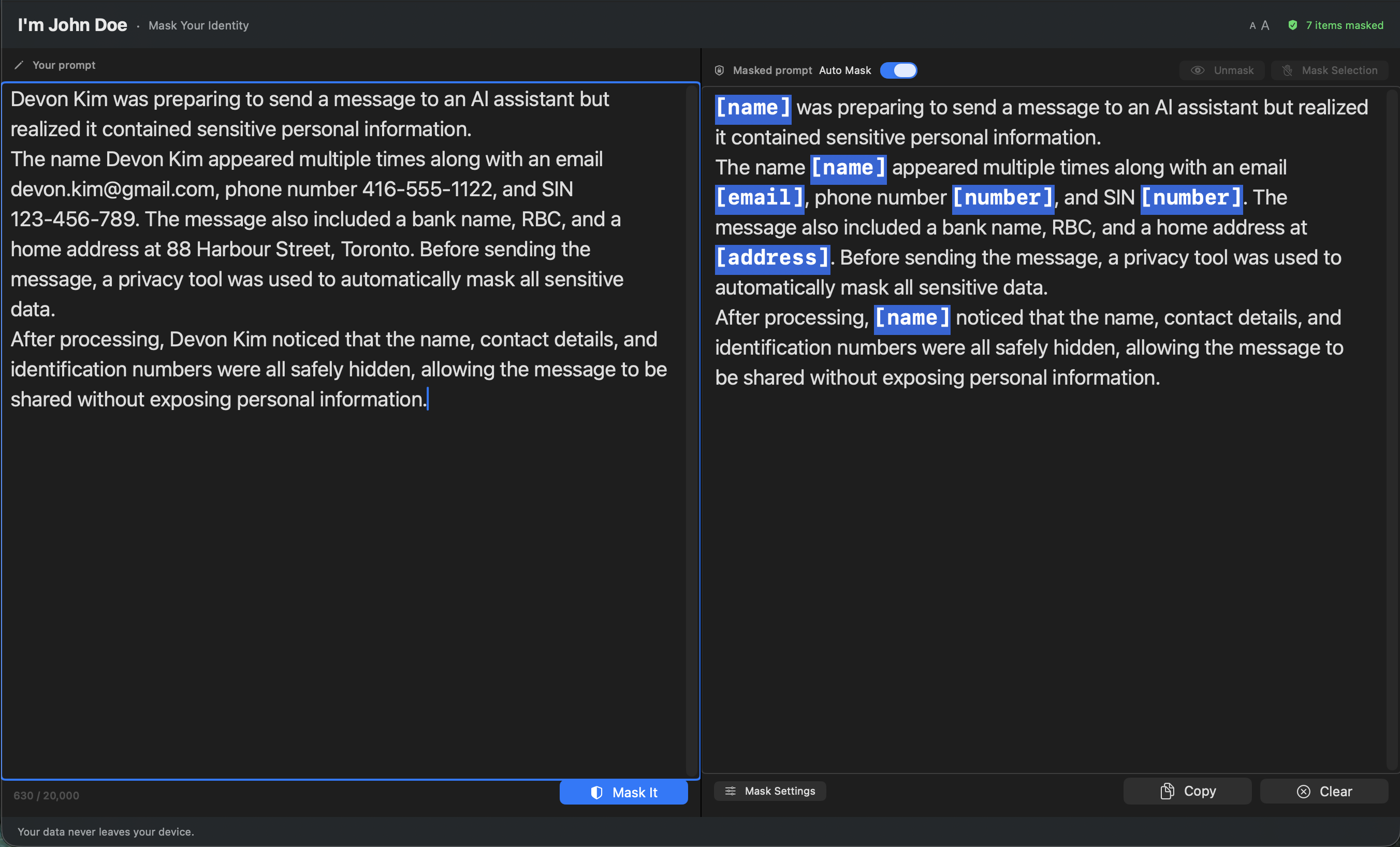
I'm John Doe main window on Mac, showing detected PII on the left and masked version on the right
$3.99 USD · one-time · Mac
macOS 14 (Sonoma) or later · English only

The promise

Three things this app will never do.

No AI

No language model reads your text. Detection runs on Apple's on-device NaturalLanguage framework and local regex patterns — shipped inside the app.

No cloud

Your text never leaves your device. The app runs in Apple's App Sandbox with every network entitlement disabled. It can't reach the internet even if it wanted to.

No exposure

No analytics, no telemetry, no third-party SDKs, no crash reporters. We collect nothing because we built nothing to collect it with.

How it works

Paste. Review. Copy.

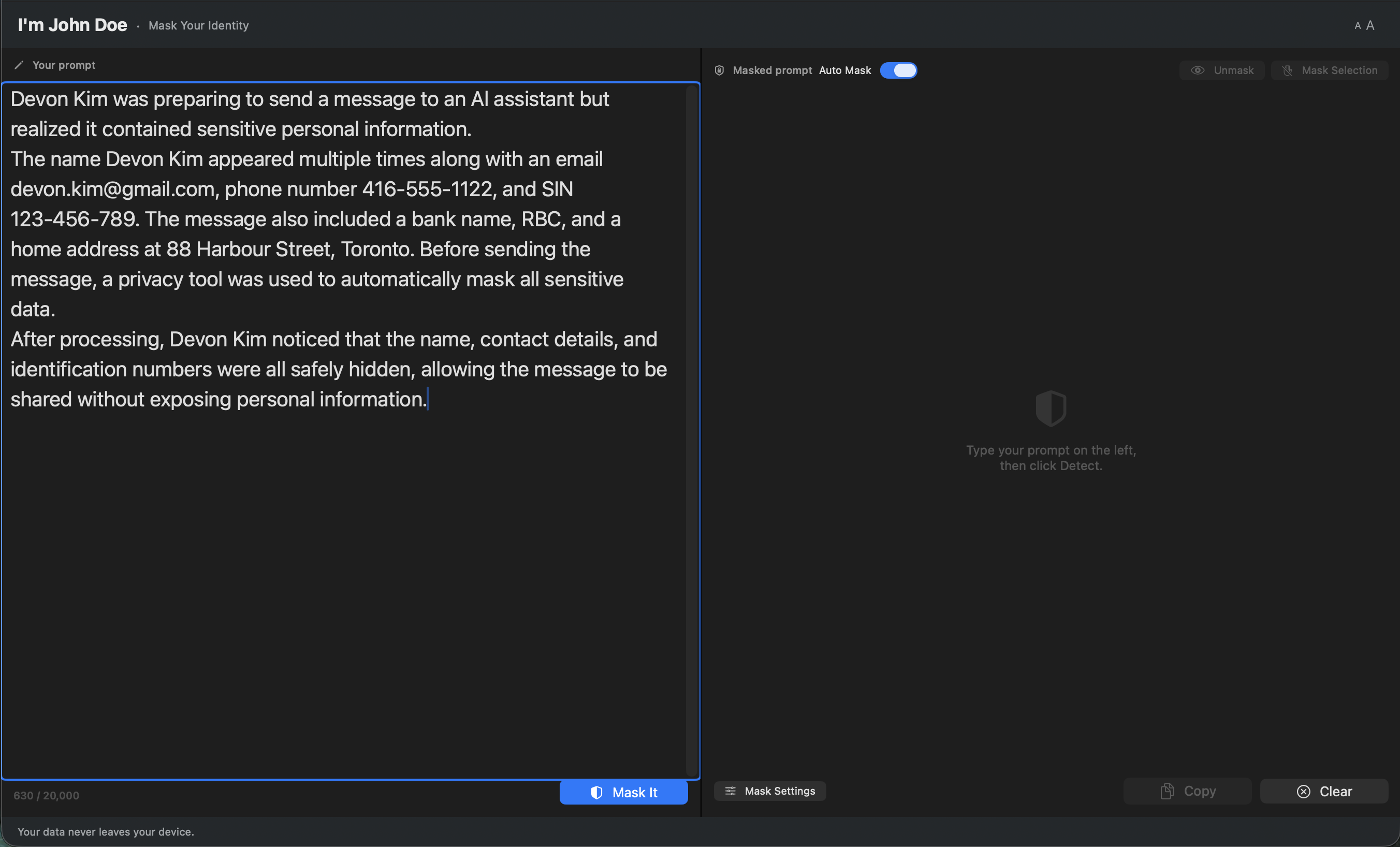
Pasted text in the left pane, before masking
STEP 01

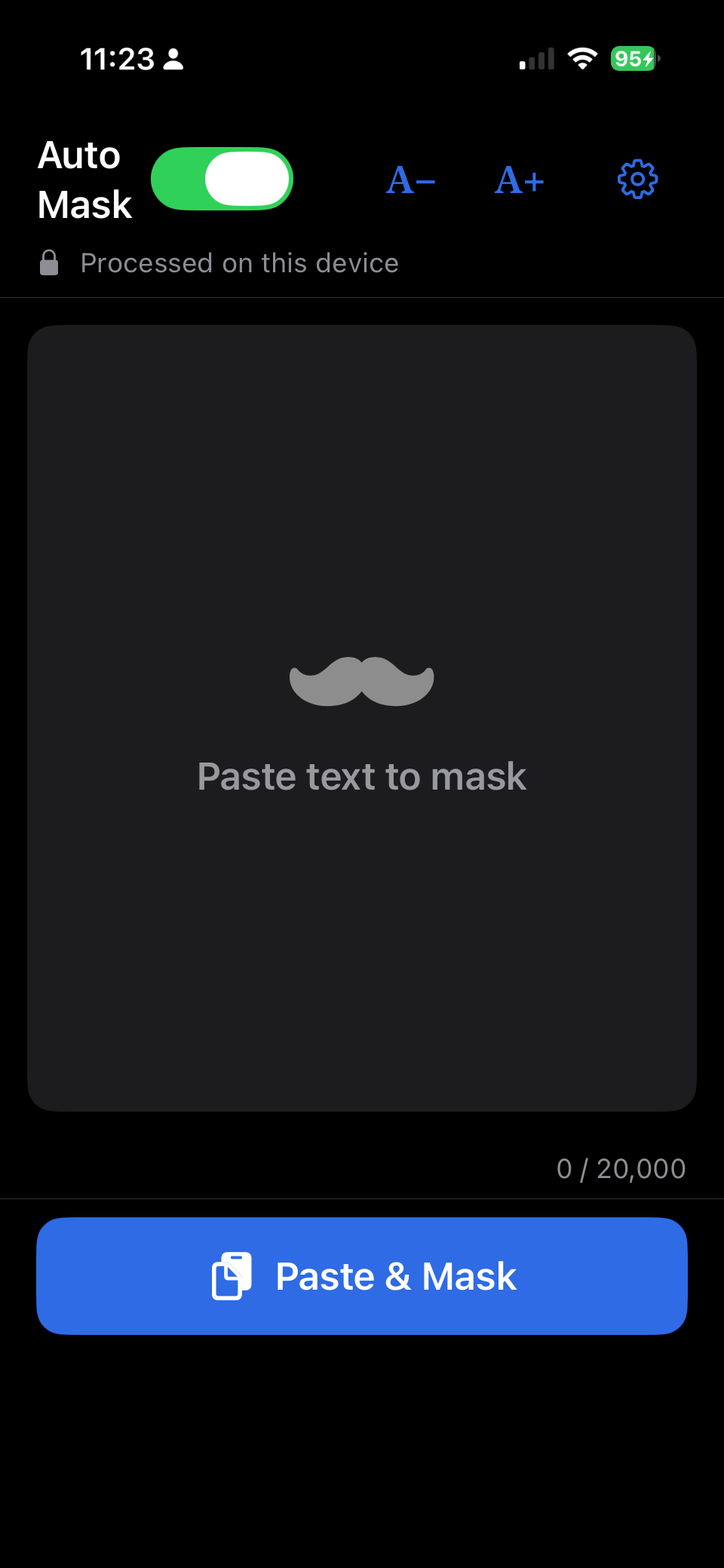
Paste your text

Drop in an email, a message, a tax document — anything you were about to send to an AI. On Mac, paste it in the left pane. On iPhone & iPad, tap Paste & Mask.

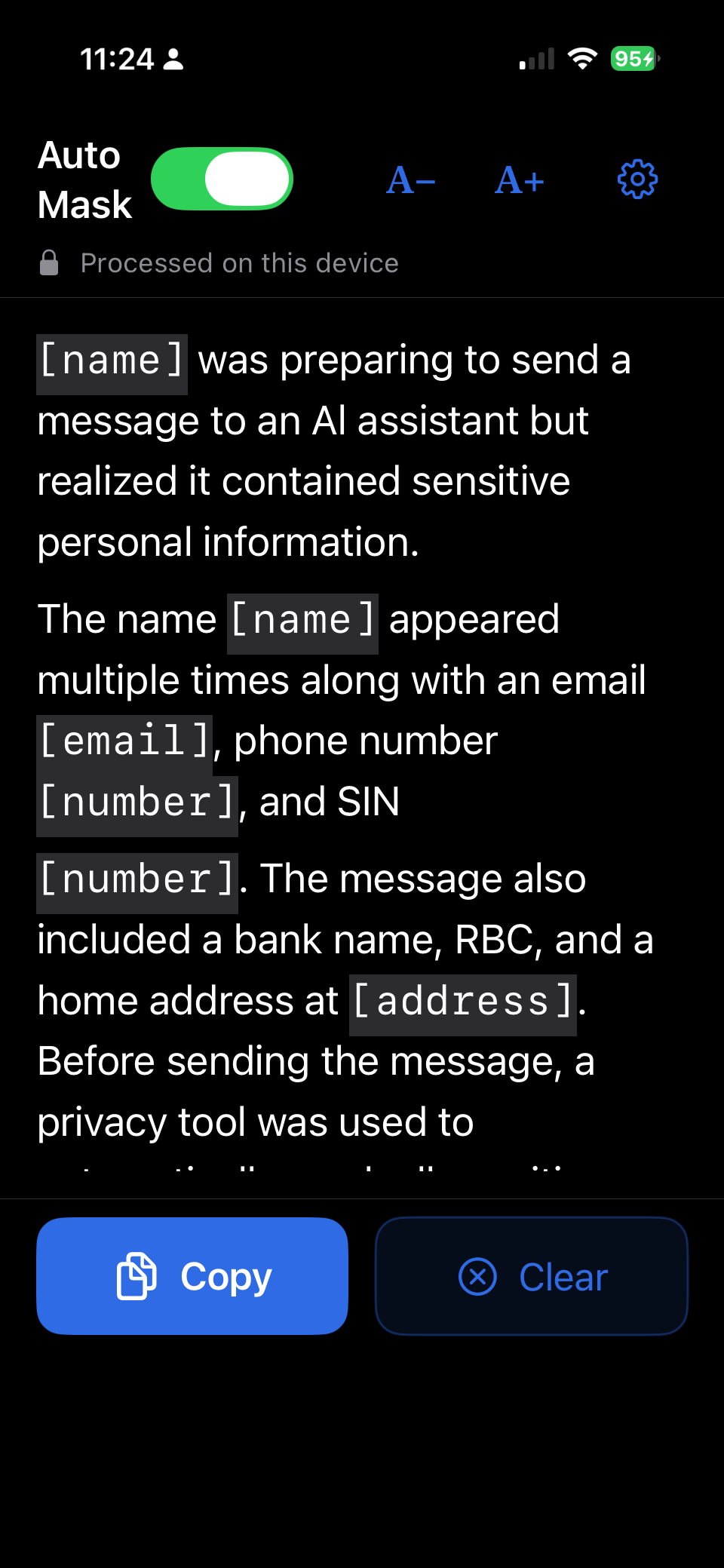
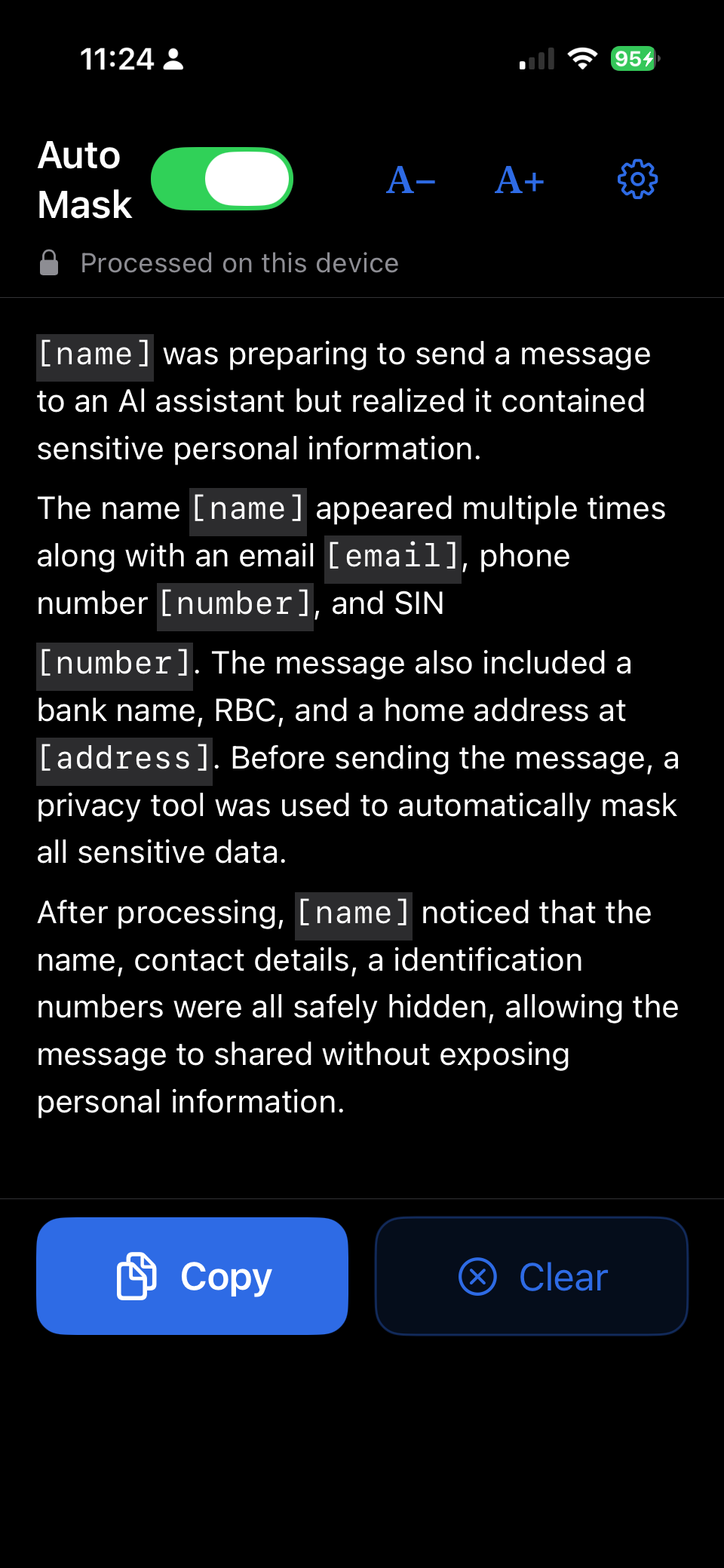
Right pane showing the masked version with placeholders
STEP 02

See what's hidden

You instantly see a protected version with personal details replaced by placeholders. Tap or click any placeholder to unmask it, keep it, or add it to your "Never Mask" list.

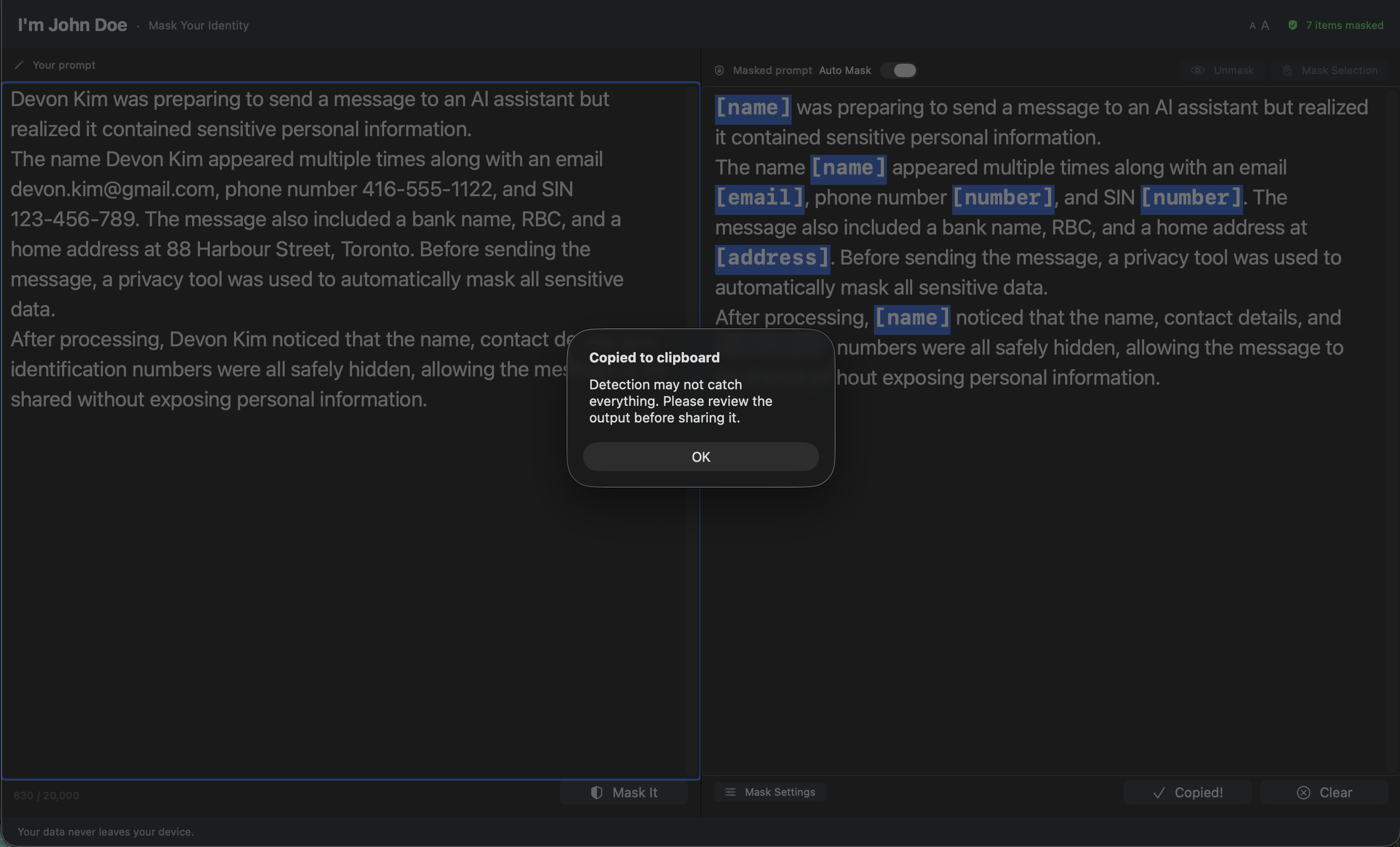
Highlighted masked text ready to copy
STEP 03

Copy & paste safely

Copy the protected text and paste it anywhere. Press ⌘Z on Mac or tap Clear on iPhone & iPad to bring your original text back.

What you get

Designed for real text, not demos.

One purchase, every device

Universal Purchase: pay once and the same app runs on your iPhone, iPad, and Mac — at the same time, forever. The privacy guarantees don't change across platforms.

40+ types of personal info

Names, emails, phone numbers, addresses, postal codes, SSNs, Canadian SINs, tax IDs, credit cards, API keys, IP addresses, dates of birth, and more — organized into 10 categories.

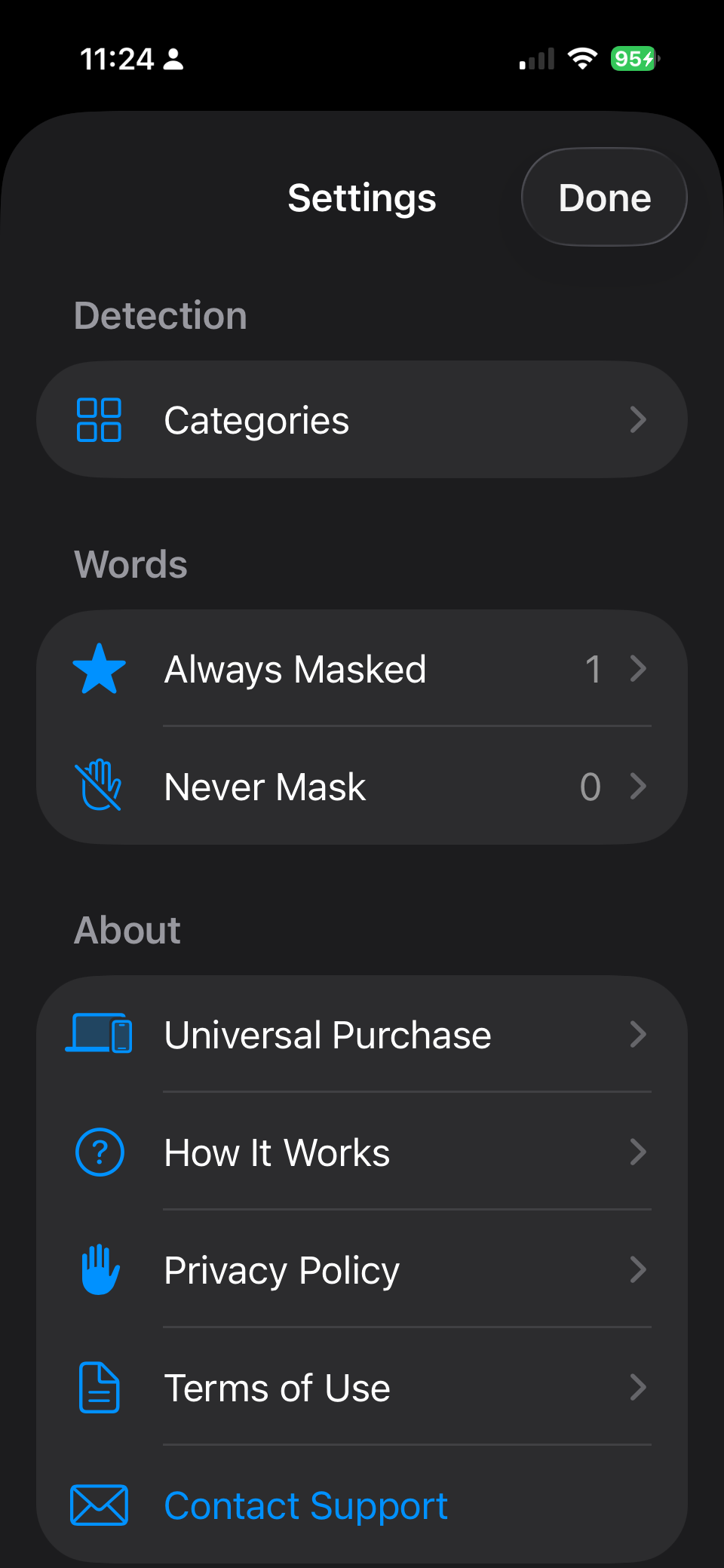
Your "Always Hide" list

Add your own names, project codenames, or internal words. They'll be hidden the same way every time.

Your "Never Hide" list

Keep specific words — a common first name, your company name, a technical term — from being flagged.

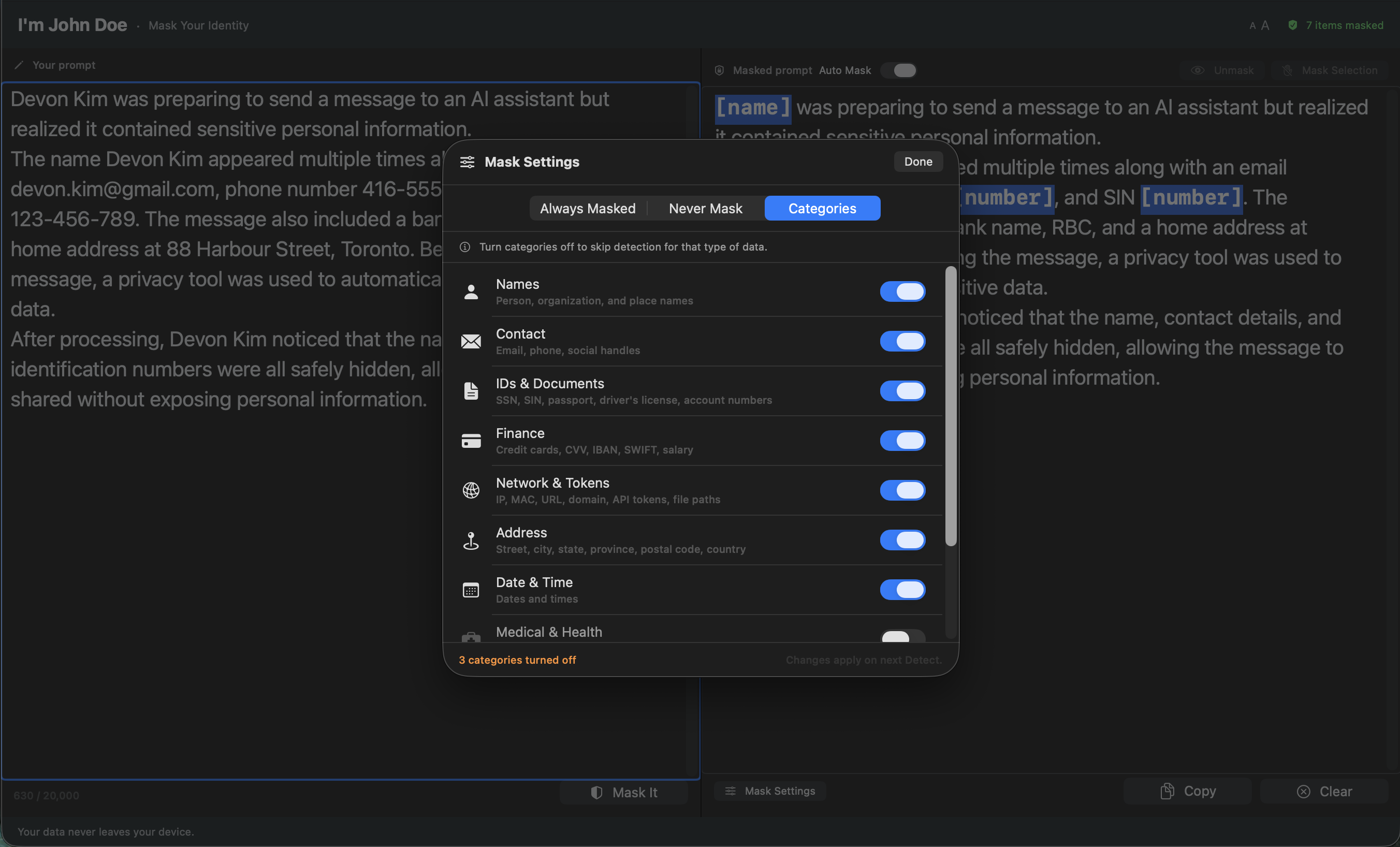
Category toggles

Turn off what you don't need. Only hiding financial data? Disable every other category in one click.

Bulk hide & manual selection

Select any piece of text and give it a placeholder of your choice. Hide every copy of a word in one action.

Full undo

Every action is reversible. ⌘Z on Mac, Clear on iPhone & iPad — bring your original text back, piece by piece or all at once.

Settings panel on Mac showing detection categories

Watch

See it in action.

Don't trust me — verify

The app can't phone home. Here's the receipt.

Every macOS app must declare what it's allowed to do in an entitlements file. Ours grants no network access — the sandbox literally won't let the app reach the internet:

<key>com.apple.security.app-sandbox</key>
<true/>
<key>com.apple.security.network.client</key>
<false/>

And the Swift package that builds the app declares no third-party dependencies — nothing to audit, nothing to trust. Just Apple frameworks and our own code:

let package = Package(
    name: "ImJohnDoe",
    platforms: [.macOS(.v14)],
    dependencies: []   // no third-party libraries
)

You don't need to take our word for it — trust Apple's sandbox instead.

Pricing

One price. Forever.

$3.99 USD · one-time

Universal Purchase — iPhone, iPad, and Mac.

  • Unlimited detection & hiding
  • All 40+ identifier types
  • Your own Always / Never lists
  • iPhone, iPad & Mac — one price
  • Free updates on the 1.x line
  • No subscription

FAQ

Questions people ask first.

Which devices does it run on?

iPhone (iOS 17+), iPad (iPadOS 17+), and Mac (macOS 14+). It's a Universal Purchase — buy once and the same app installs on all three from your Apple ID.

Does the app really work offline?

Yes — there is no online mode, on any platform. The app's network access is disabled at the OS level, so it cannot reach the internet. Turn off Wi-Fi and cellular and it works the same.

What personal info does it find?

More than 40 types, including names, emails, phone numbers, SSNs, Canadian SINs, tax IDs, credit cards, API keys, IP addresses, addresses, and dates of birth. You can toggle entire categories on or off.

Does it catch every piece of personal info?

No tool can. We combine Apple's NaturalLanguage framework with carefully tuned text patterns, and give you manual tools (Always Hide, Never Hide, manual selection, bulk hide) to handle anything it misses.

What languages does it support?

English only — including U.S. and Canadian formats for things like phone numbers, postal codes, and tax IDs. Other languages aren't supported in this version.

What happens to my settings when I uninstall?

On iPhone and iPad, deleting the app removes all of its settings with it. On Mac, dragging the app to the Trash leaves your preferences behind in ~/Library/Preferences/com.imjohndoe.ImJohnDoe.plist — delete that file if you want to remove them too. Nothing is backed up anywhere online.

Is there a subscription?

No. $3.99 USD once, yours forever. Free updates on the 1.x line.

I found something it got wrong.

Please email me at with the text that triggered it. Real examples are how the app gets better.

Stop pasting things you'll regret.

$3.99 USD. No subscription. No account. Works on a plane.